

In today’s fast-moving digital world, small businesses need smarter and faster ways to work. Many entrepreneurs struggle with limited time, high workloads, and rising customer expectations. That’s exactly why understanding the AI in Small Business – Beginner Guide is important. AI doesn’t just help big companies anymore—small businesses now use low-cost AI tools for marketing, customer service, accounting, inventory management, and automation.
Artificial intelligence simplifies operations and helps business owners make smart choices without needing deep technical skills. With AI tools becoming beginner-friendly, even a small shop, bakery, online store, or freelance business can automate tasks and work like a bigger company—but with far less effort.
The goal of this guide is to show you how AI works, what tools you can use, and how to apply them using simple, real-life examples.
Understanding the Core Benefits Using the AI in Small Business – Beginner Guide
Modern AI offers many advantages that help entrepreneurs save time and money.
AI Improves Speed and Efficiency
AI speeds up daily tasks that normally take hours.
Tool Example: Zapier
Simple Example: When a customer fills out a form, Zapier automatically adds them to your email list and sends a welcome message—no manual work needed.
AI Enhances Customer Experiences
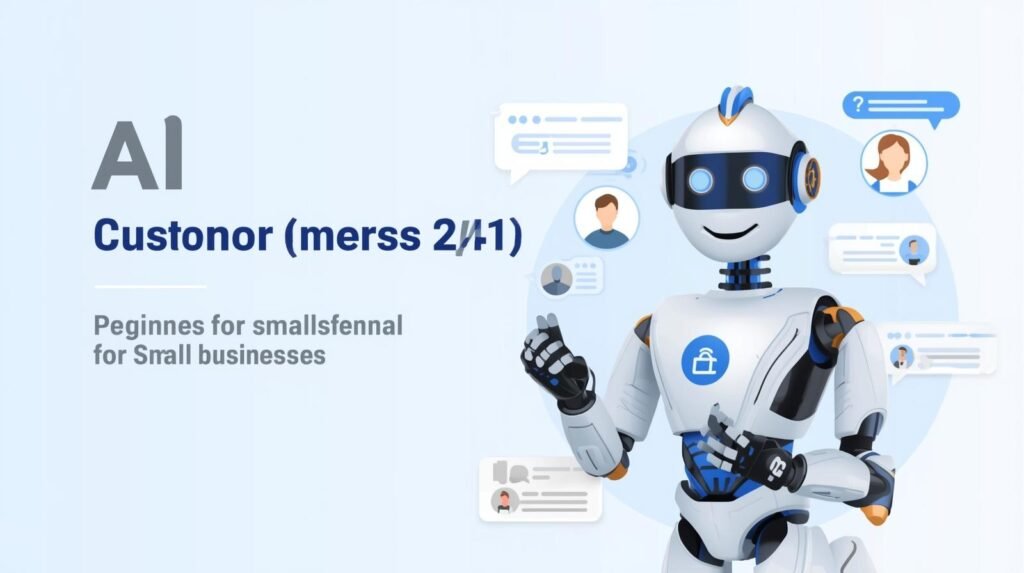
Customers expect fast replies.
Tool Example: Tidio Chatbot
Simple Example: A small online clothing store uses Tidio to answer basic questions about returns, delivery times, or sizing—24 hours a day.
AI Helps With Accurate Decision-Making
AI analyzes data and gives insights.
Tool Example: Zoho Analytics AI
Simple Example: A café owner learns which menu items sell best in the morning and prepares inventory accordingly.
AI Reduces Business Costs
Automation reduces the need for extra staff for repetitive work.
Tool Example: QuickBooks AI
Simple Example: It automatically categorizes expenses and tracks invoices so you don’t need a full-time bookkeeper.
Common Myths Explained in the AI in Small Business – Beginner Guide
Many beginners hold false beliefs about AI, stopping them from using helpful tools.
“AI Is Too Expensive”
Most beginner tools are free or cost less than $20 per month.
“AI Replaces Employees”
AI supports your team—it doesn’t replace them. Humans use AI to reduce workload, not eliminate jobs.
“AI Needs Technical Knowledge”
Modern AI tools use templates, drag-and-drop features, and plain-language prompts.
Getting Started With AI in Small Business (Beginner Roadmap)
Here is a simple road map any beginner can follow.
Step 1 — Identify Tasks AI Can Solve Easily
Small businesses often face issues like:
-
Too many customer queries
-
Slow response times
-
Manual daily tasks
-
Repetitive content creation
-
Difficulty predicting sales
-
Tracking expenses manually
-
Slow marketing processes
Tools + Real Example Uses:
| Task | AI Tool | Beginner Example |
|---|---|---|
| Answering FAQs | Tidio | A salon replies instantly to booking queries |
| Writing emails or posts | ChatGPT | A bakery writes daily Instagram captions |
| Scheduling & reminders | Calendly | A coach sends automated reminders |
| Bookkeeping | QuickBooks AI | Categorizes income/expenses |
| Video creation | InVideo AI | A shop creates ads from text |
Step 2 — Create a Small AI Budget
You don’t need a big investment. Many tools offer:
-
Free plans
-
$10–$20/month essential plans
-
$29–$49/month professional features
A small business can comfortably use 2–3 AI tools for under $50 per month.
Step 3 — Beginner-Friendly Setup Process
To begin using AI effectively:
-
Pick one main problem (example: slow customer support).
-
Select an AI tool to solve that exact problem (example: Tidio chatbot).
-
Use templates available inside the tool.
-
Test the tool for one week.
-
Adjust settings based on customer feedback.
Starting small prevents overwhelm and helps you learn step-by-step.
Essential AI Tools Every Small Business Should Know
This part of the AI in Small Business – Beginner Guide covers the most helpful categories of AI tools along with simple examples.
AI Customer Service Tools
Customer support takes a lot of time. AI helps you respond faster.
Tidio
-
Best for websites and online stores
-
Offers chatbots, canned responses, and automation
Example:
A shoe store uses Tidio to answer:
-
“Where is my order?”
-
“Do you ship internationally?”
-
“Do you have this size?”
Intercom AI
Best for apps, SaaS platforms, and tech businesses.
Example:
A software startup handles all technical questions without manual replies.
AI Marketing Tools

AI makes marketing easier even for beginners.
Canva AI
-
Creates designs quickly using written prompts
-
Helps with social media posts, flyers, ads, and logos
Example:
A real estate agent types:
“Create a modern Instagram post promoting a new house listing.”
Canva generates a ready-to-post graphic.
Mailchimp AI
Helps with email marketing.
Example:
Mailchimp AI predicts the best time to send an email for higher open rates.
HubSpot AI
-
Tracks customers
-
Scores leads
-
Suggests marketing improvements
Example:
AI shows which customers are most likely to buy a new product.
AI Content Creation Tools
These tools are perfect for writing, editing, and designing content fast.
ChatGPT
Creates:
-
Blogs
-
Product descriptions
-
Social posts
-
Email newsletters
Example:
A home décor brand uses ChatGPT to write a weekly blog about interior design tips.
Jasper AI
Best for long content and brand-specific writing.
Example:
A travel agency creates destination guides in minutes.
InVideo AI
Makes videos from text.
Example:
A fitness trainer generates workout promo videos in under 5 minutes.
AI Productivity Tools
These tools help manage tasks, projects, and workflows.
Notion AI
-
Creates meeting notes
-
Summarizes documents
-
Organizes tasks
Example:
A freelancer gets a weekly task list created automatically.
Zapier
Automates tasks between different software.
Example:
When a customer buys a product:
-
They are added to Google Sheets
-
Added to your email list
-
A thank-you email is sent
All automatically.
AI Finance, Accounting & Forecasting Tools
Money management becomes much easier with AI.
QuickBooks AI
-
Tracks expenses
-
Categorizes transactions
-
Generates financial reports
Example:
A handmade crafts seller uses QuickBooks AI to track monthly revenue.
FreshBooks AI
Best for invoicing and payment reminders.
Example:
A tutor automatically sends invoices after each session.
Wave Accounting
Perfect for beginners with small budgets.
Example:
Freelancers track payments with simple dashboards.
How AI Helps Business Owners Make Smart Decisions
AI helps entrepreneurs make thoughtful, accurate decisions with less guesswork.
AI and Data Collection
Tools like Google Analytics AI provide insights about:
-
Customer behavior
-
Popular pages
-
Traffic sources
-
Product interest
-
Time spent on page
Example:
A small shop sees that 70% of its website visitors browse phone cases. They use this insight to promote more accessories online.
AI Predictive Analytics for Beginners
AI predicts future patterns using past data.
Zoho Analytics Example
A restaurant predicts busy hours and assigns staff accordingly.
Pecan AI Example
A retail store forecasts next month’s demand and buys stock early.
These tools help reduce losses and improve planning.
Challenges Small Businesses Face When Using AI
Even though AI is helpful, some challenges can appear.
Data Privacy Concerns
Use trusted tools like:
-
Google AI
-
IBM Watson
-
HubSpot
Skill Gaps
Training is simple thanks to:
-
Video tutorials
-
Templates
-
Customer support
-
Guided setup
Fear of Learning New Technology
Starting with just one easy tool (ChatGPT or Tidio) helps build confidence.
Checklist for Choosing the Right AI Tools
Here is a simple checklist for beginners:
-
Does it solve a real problem?
-
Is it easy to use without coding?
-
Does it integrate with other apps?
-
Does it offer tutorials?
-
Does it have good support?
-
Does it fit your budget?
-
Does it offer free trials?
If the answer is “yes” to most questions, it’s a good tool.
Real Case Studies Using the AI in Small Business – Beginner Guide
Case Study 1 — Local Bakery
Tools: QuickBooks AI, Mailchimp AI
Result:
30% reduction in waste and higher customer returns through automated email campaigns.
Case Study 2 — Real Estate Agent
Tools: ChatGPT, Canva AI
Result:
Produces property descriptions and graphics in minutes, saving hours every week.
Case Study 3 — Fitness Trainer
Tools: Calendly AI, InVideo AI
Result:
Automates bookings and video promotions.
Case Study 4 — Online Clothing Store
Tools: Tidio Chatbot
Result:
Handles 60% of customer questions automatically.
Frequently Asked Questions
1. Is the AI in Small Business – Beginner Guide suitable for non-technical people?
Yes, all tools listed are beginner-friendly.
2. Do I need a big budget to start?
No. Many tools are free or low cost.
3. Can AI replace human work?
No. AI helps humans work faster—it doesn’t replace human creativity.
4. What’s the easiest tool for beginners?
ChatGPT for writing and Tidio for chatbots.
5. How safe is AI?
Trusted providers use strong security and privacy practices.
6. What is the first step for a small business owner?
Choose one problem and pick one AI tool to solve it.
Conclusion
The AI in Small Business – Beginner Guide makes it clear: AI is no longer optional—it’s essential for growth, productivity, and customer satisfaction. With beginner-friendly tools, even the smallest business can automate tasks, improve marketing, and make smarter decisions. Start small, experiment, and grow steadily. AI is your business partner—not a replacement.
References & Guides
-
U.S. Small Business Administration Guide: Offers straightforward advice on starting with free or low-cost AI tools to boost efficiency. (https://www.sba.gov/business-guide/manage-your-business/ai-small-business)[1]
-
Capsule CRM Beginner’s Guide: Details essentials like identifying needs, pilot projects, and selecting scalable tools for small operations. (https://capsulecrm.com/blog/how-to-get-started-with-ai-a-beginner-s-guide-for-small-businesses/)[2]
-
Amazon SmartBiz Complete Guide: Explains AI automation for online businesses to save time and increase profits. (https://smartcommerce.amazon.in/blog/artificial-intelligence-guide-for-small-businesses)[3]
-
DreamHost Pro Tips: Covers 12 use cases like decision-making, trend spotting, and tool setup for owners. (https://www.dreamhost.com/blog/how-to-use-ai/)[4]
- AI in Business Operations: 7 Powerful Shifts Transforming ERP in 2025